Showing posts with label Tutorial. Show all posts

26 February 2015


in my project not as picture that you see, just simple Speedometer

aGauge can you download here
my project example here
my Video Tutorial here


complate code:


using System;
using System.Collections.Generic;
using System.ComponentModel;
using System.Data;
using System.Drawing;
using System.Linq;
using System.Text;
using System.Windows.Forms;

namespace Speedometer
{
    public partial class Form1 : Form
    {
        public Form1()
        {
            InitializeComponent();
        }

        private void trackBar1_ValueChanged(object sender, EventArgs e)
        {
            aGauge1.Value = trackBar1.Value;
        }
    }
}

20 February 2015


My Video Tutorial : click here
This my Code:

using System;
using System.Collections.Generic;
using System.ComponentModel;
using System.Data;
using System.Drawing;
using System.Linq;
using System.Text;
using System.Windows.Forms;

namespace My_Digital_Clock
{
    public partial class Form1 : Form
    {
        int myHours, myMinute, mySecond;
        public Form1()
        {
            InitializeComponent();
            myHours = DateTime.UtcNow.Hour;
            myMinute = DateTime.UtcNow.Minute;
            mySecond = DateTime.UtcNow.Second;

        }

        private void timer1_Tick(object sender, EventArgs e)
        {
            myHours = DateTime.UtcNow.Hour;
            myMinute = DateTime.UtcNow.Minute;
            mySecond = DateTime.UtcNow.Second;
            //i am in indonesia, so granwich and indonesia +7
            myHours += 7;
            if (myHours > 12) myHours -= 12;
            if (mySecond % 2 == 0)
            {
                label1.Text = myHours +" "+ myMinute +" "+ mySecond;
            }
            else
            {
                label1.Text = myHours + ":" + myMinute + ":" + mySecond;
            }
        }
    }
}

15 February 2015


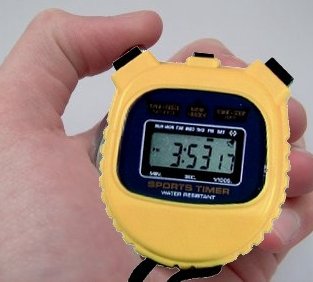
get my project: clickhere

simple step to download my project:
1. klick button "Low Speed Download"
2. fill the collom as text that display
3. click button "download"

THIS MY SIMPLE CODE:

////for buttonstart_click

            if (buttonstart.Text == "Start")
            {
                buttonstart.Text = "Stop";
                timer1.Start();
            }
            else if (buttonstart.Text=="Stop")
            {
                buttonstart.Text = "Start";
                timer1.Stop();
            }


////for timer_tick

   label1.Text = Hours.ToString() + " : " + Minute.ToString() + " : " + Second.ToString() + " : " + tick.ToString();
            tick++;
            if (tick >= 10)
            {
                tick = 0;
                Second++;
                if (Second >= 60)
                {
                    Second = 0;
                    Minute++;
                    if (Minute >= 60)
                    {
                        Minute = 0;
                        Hours++;
                         
                    }
                }
            }


////for buttonreset_click

            Hours = 0;
            Minute = 0;
            Second = 0;
            tick = 0;